TabVault is a free Chrome extension that saves your open tabs along with your place in them — the exact scroll position on a page, the exact timestamp in a YouTube video. Reopening a saved tab returns you to where you stopped rather than to the top of the page, and saved tabs group into categories you name yourself, so a whole set reopens in one click.
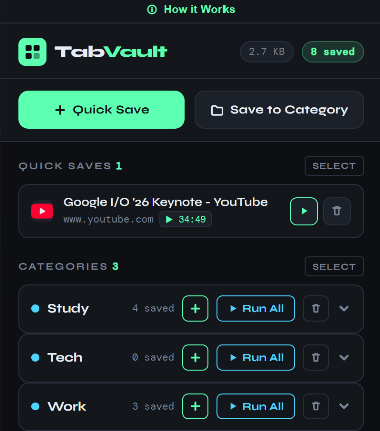
I built TabVault because I had a bad habit of keeping forty tabs open. Not because I needed forty things at once, but because closing one meant losing my place in it. A half-read article meant hunting for the paragraph again; a tutorial I was forty minutes into meant dragging the scrubber around looking for the spot. So the tab stayed open. Then the next one did, and eventually Chrome was using more memory than everything else on the machine put together.
The problem was never the number of tabs; the problem was that closing one had a cost. Take that cost away and the habit fixes itself, which is why saving the scroll position matters more in TabVault than any of the organising features around it.
TabVault follows the three rules everything here is held to. TabVault does one job rather than also being a bookmark manager and a reading list. TabVault asks for no account, because it does not need one. And everything TabVault saves stays in your browser on your device — I did not build a sync server, because building one would have meant holding a copy of everybody's tab history, and that is a thing I would then be responsible for securing and could lose. Not collecting it is simpler and safer for both of us.
Who it is for
Anyone who keeps too many tabs open: students working through research, people partway into a long video or tutorial, and anyone whose browser is running out of memory but who does not want to lose their place.
Where to go next
The full feature list, the how-it-works guide, the FAQ and support all live on TabVault’s own site — this page is only the studio context behind it. To install it, go straight to the Chrome Web Store listing.